
How to Install Smarters Pro

Step-by-Step Guide with Screenshots

Works on: Firestick, Android TV, Google TV, Smart TVs

Complete Installation Guide

Complete installation guide with screenshots

1

Download Downloader

Download the Downloader app from your store.
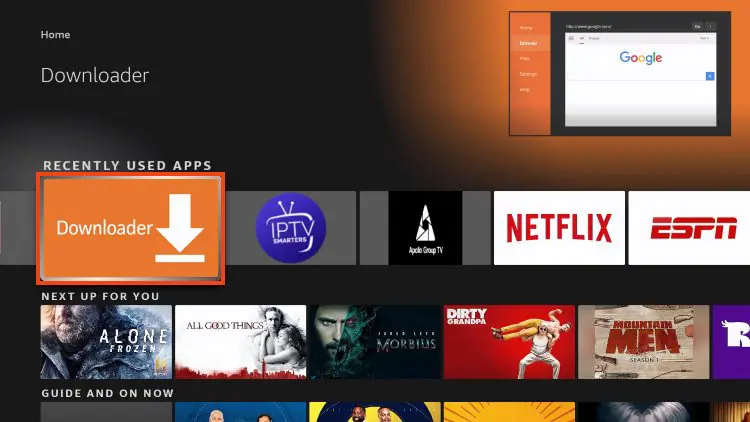
Downloader App
Important: This tutorial works on Fire TV Stick, Android TV, Google TV, and Smart TVs.
2

Enter Code 6468112

Open Downloader and enter code "6468112" in the URL bar.
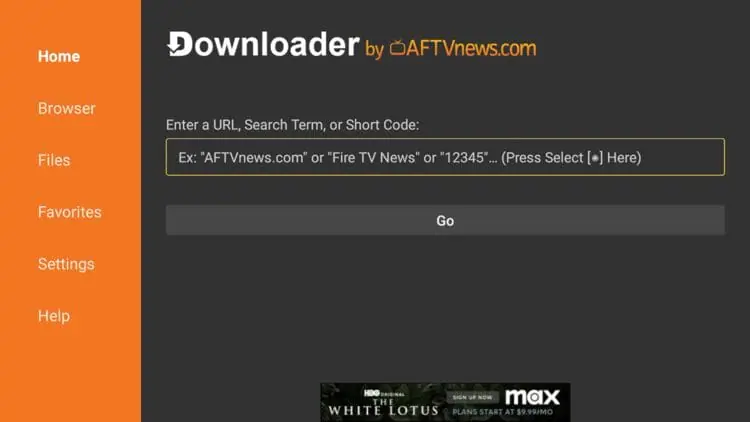
Enter Code
6468112
3

Download Smarters Pro

Click Download to get IPTV Smarters Pro.
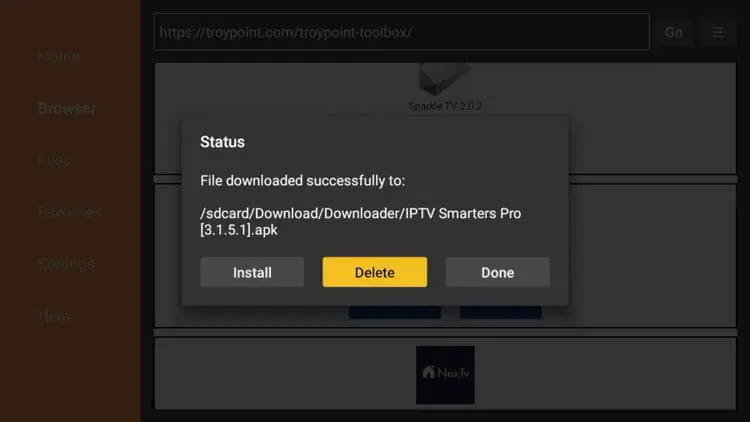
Download Smarters Pro
4

Install the Application

Wait while the application downloads.
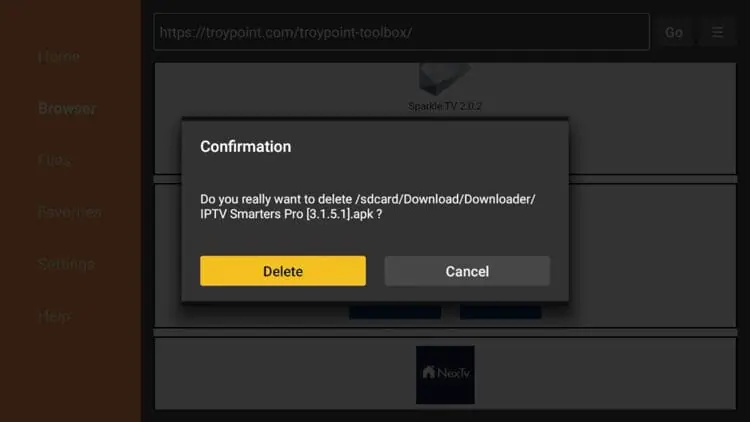
Install App
5

Give Permission

Click Install to start the installation.
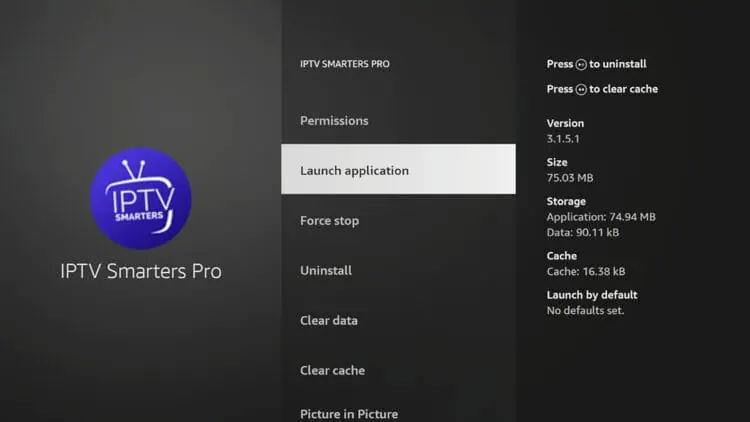
Give Permission
6

Open Smarters Pro

Allow installation from unknown sources.
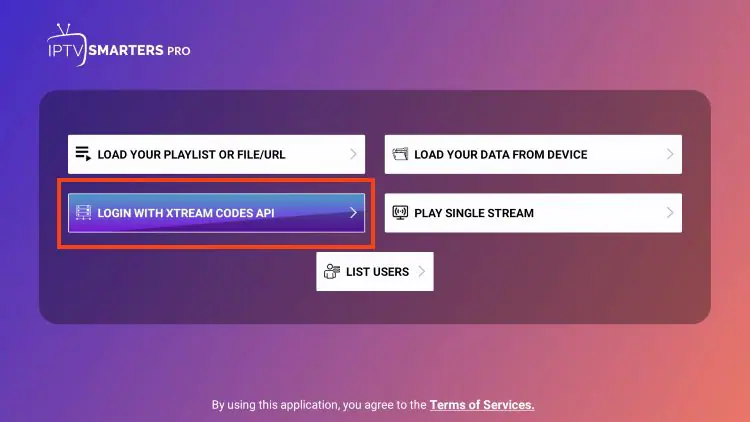
Open Smarters Pro
7

Choose Method

Open Smarters Pro app after installation.
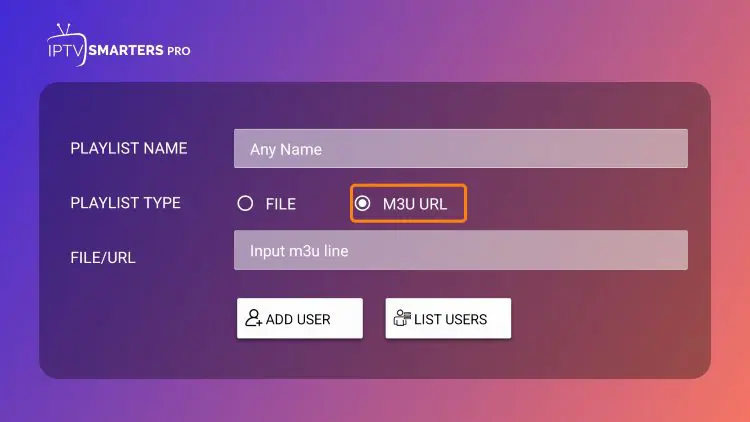
Choose Method
Option: You can choose between Xtream Codes or M3U playlist.
8

Enter Credentials

Choose "Login with Xtream Codes" or "Load Your Playlist".
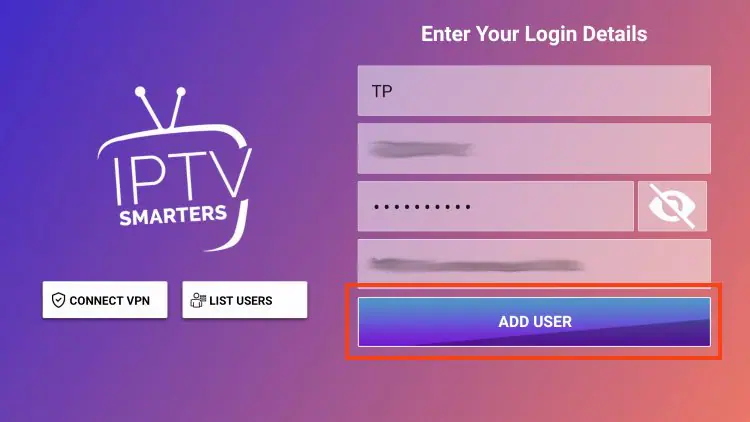
Enter Credentials
Enter Account Information: Server URL, username, password, port (optional)
9

Start Streaming

Enter your IPTV credentials (server, username, password).

Start streaming content
10

Enjoy! !

Enjoy your channels, movies and series!
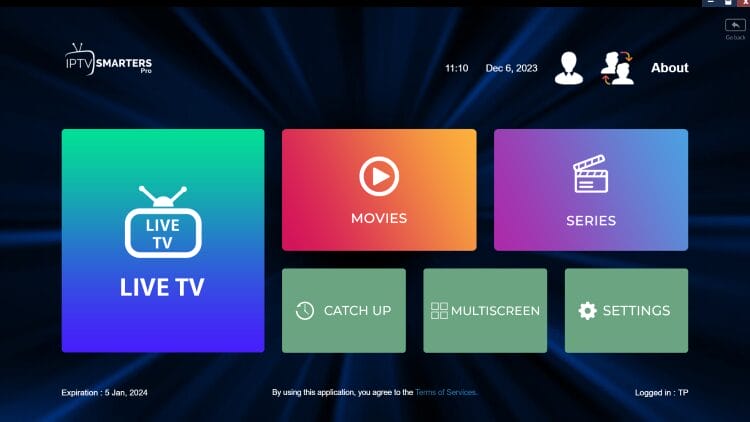
Downloader Ready
Enjoy!! Your IPTV service is now configured and ready to use.

Need Help with Installation?

Our support team is available on WhatsApp to help you with every step.

WhatsApp: +213 558 127 271
FREE installation support included!
Get Help Now