How to Install TiviMate

Step-by-Step Guide with Screenshots

Works on: Firestick, Android TV, Google TV, Android Smart TVs

Complete TiviMate Installation Guide

Complete TiviMate installation guide with screenshots

1

Prepare Installation

From the home screen of your Firestick, locate the search bar and open it.
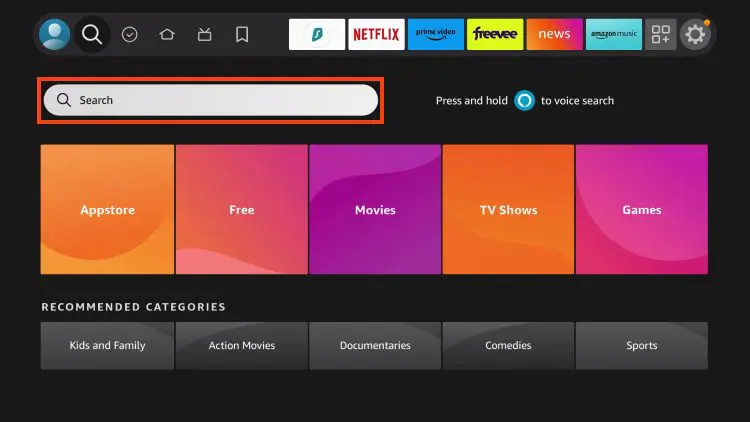
Préparer l'installation TiviMate
Important: Make sure your Firestick is connected to the internet.
2

Search for Downloader

Search for the "Downloader" application in the search bar.
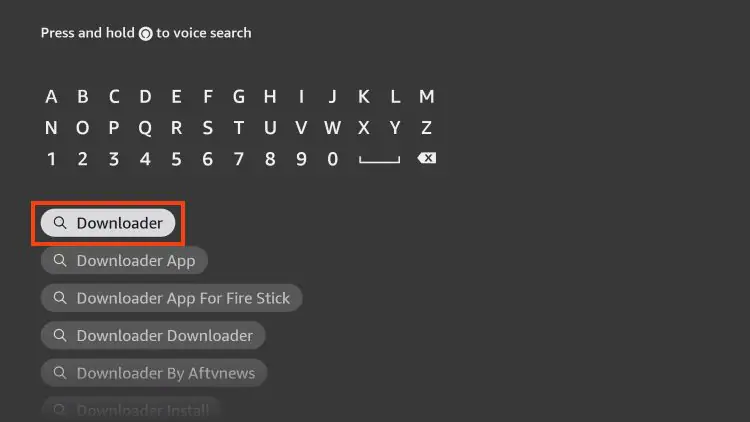
Rechercher Downloader
3

Install Downloader

Select the Downloader app from the results.
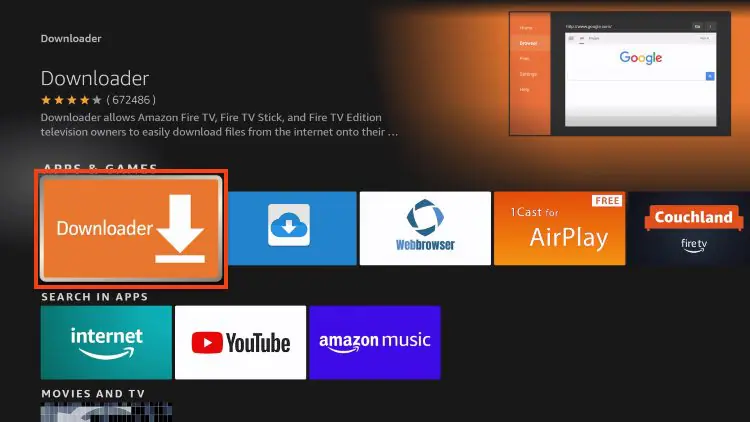
Sélectionner Downloader
4

Download the App

Click "Download" or "Get" to install Downloader.
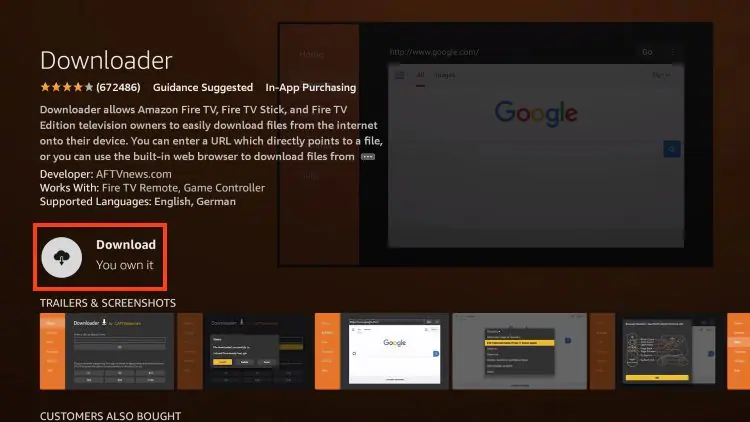
Télécharger Downloader
5

Wait for Installation

Wait a few seconds while the app downloads.
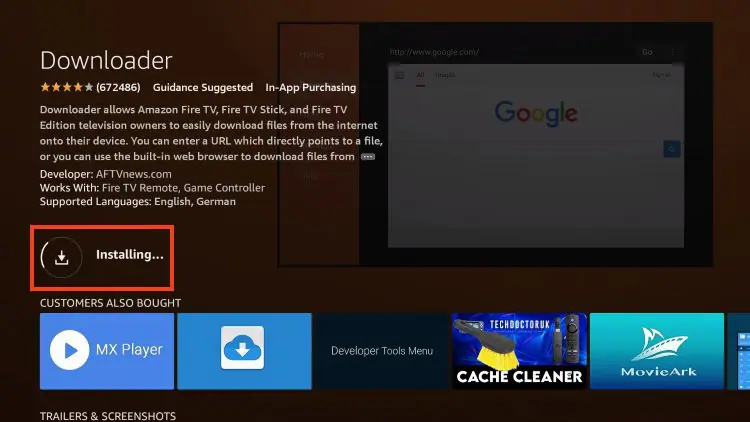
Attendre l'installation
6

Open Settings

You will be notified when the installation is complete.
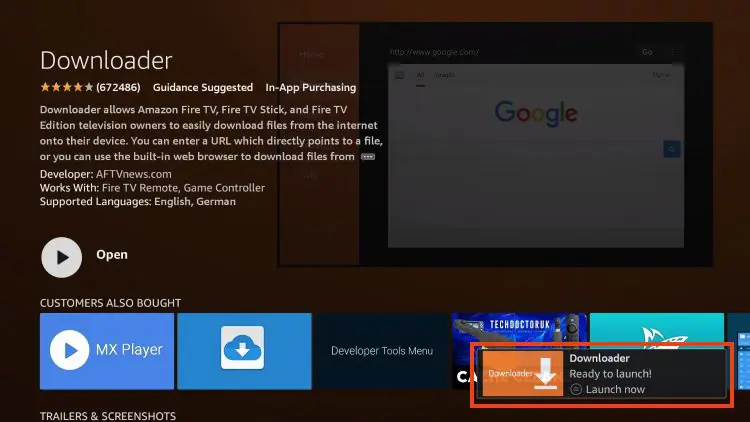
Ouvrir Paramètres
7

Enable Unknown Sources

Go back to your Settings and click "My Fire TV".
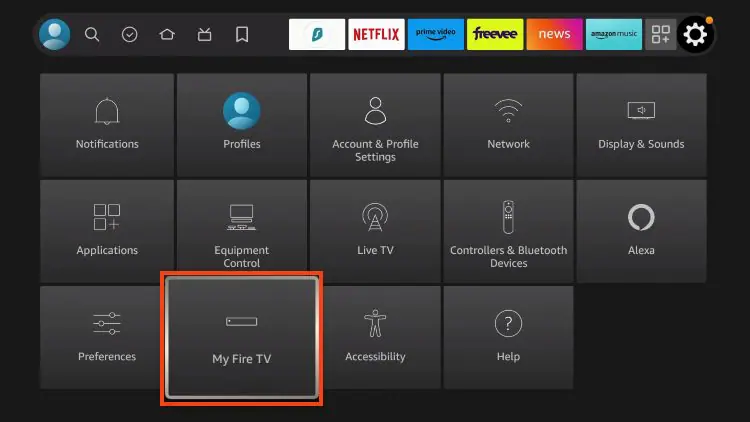
Activer Sources Inconnues
Important: This step is necessary to install applications outside the Amazon App Store.
8

Open Downloader

Open the Downloader app you just installed.
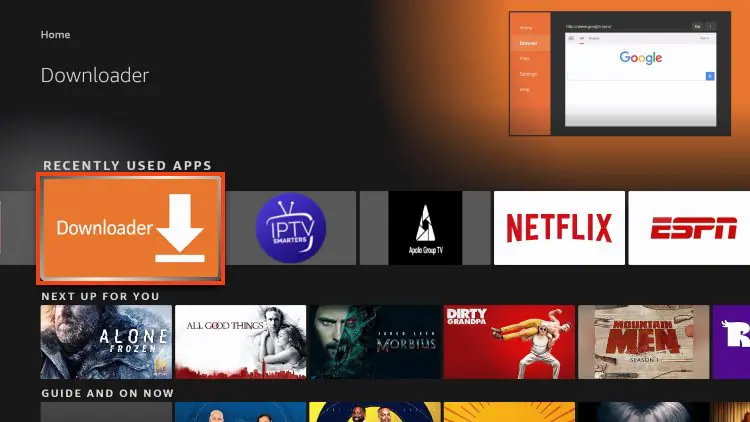
Ouvrir l'application Downloader
Note: Find and open the Downloader app from your apps list.
9

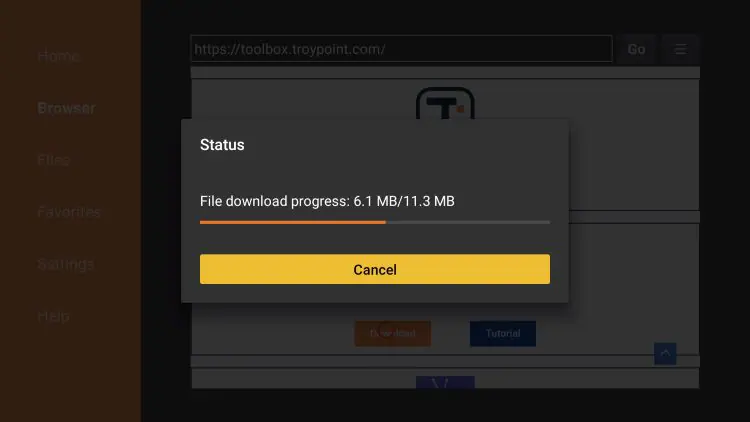
Enter TiviMate Code

In Downloader, enter the code:

Entrer le code dans Downloader
272483
Main code: Enter this code in the Downloader URL field to download TiviMate.
10

Download TiviMate

Click "Go" to download TiviMate.

Télécharger TiviMate
Alternative code:
238175
If code 272483 doesn't work, try this alternative code.
11

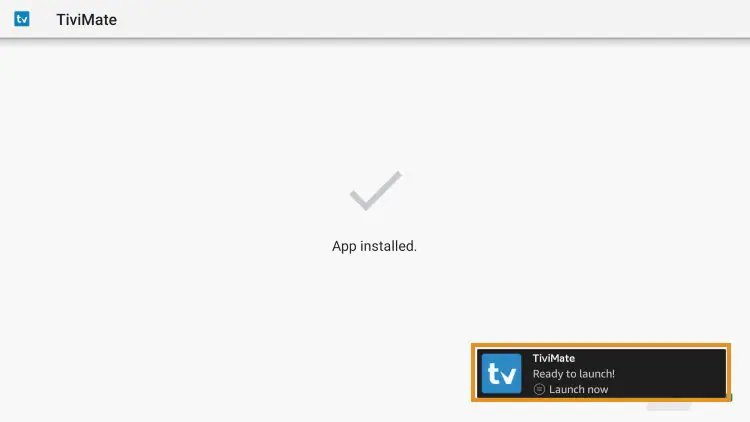
Install TiviMate

Wait for download then click "Install".

Installer TiviMate
Important: Click "Install" when the download is complete.
12

Give Permissions

Give the necessary permissions for installation.

Donner les permissions d'installation
Important: Allow all permissions requested during installation.
13

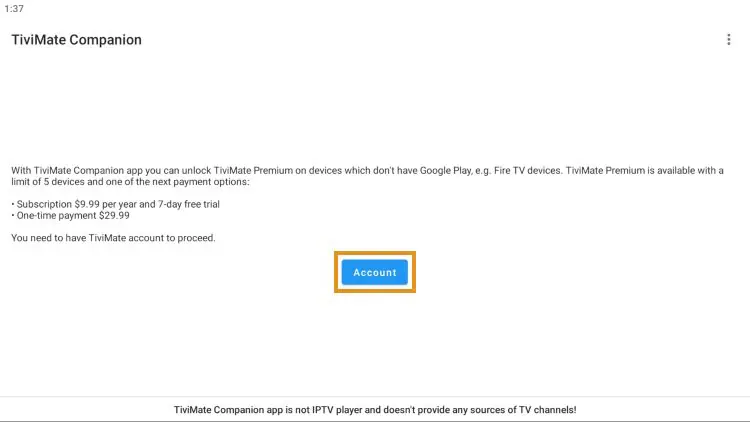
Open TiviMate

Open TiviMate after installation.

Ouvrir TiviMate
Note: Find TiviMate in your apps list and open it.
14

Add Playlist

In TiviMate, add your IPTV playlist.

Ajouter une playlist IPTV dans TiviMate
Required information: Go to Settings > Playlists > Add playlist > Xtream Codes
15

Enter Credentials

Enter your IPTV credentials (server, username, password).
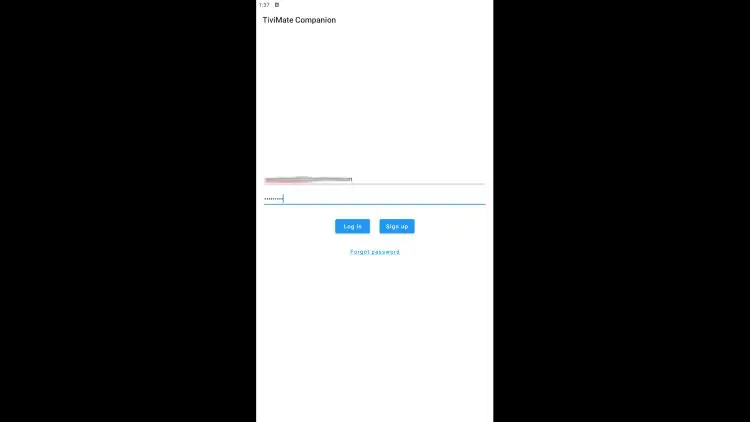
Entrer les identifiants IPTV dans TiviMate
Required information: Enter your IronTV credentials (server URL, username, password)
Xtream Codes API
Format: Select "Xtream Codes" and enter your login details
16

Enjoy Streaming

Enjoy your channels, movies and series in high quality!
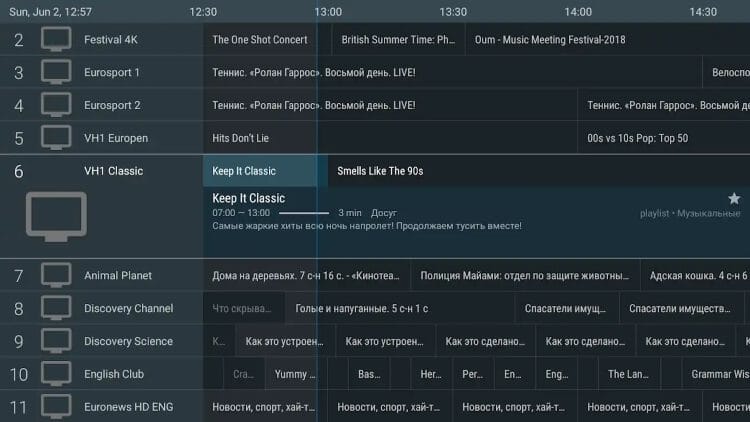
Interface TiviMate avec chaînes IPTV
Enjoy!! You can now enjoy all your favorite channels in HD quality!

TiviMate Features

Discover why TiviMate is the best IPTV player on the market

Elegant user interface

Multi-playlist support

Complete EPG guide

Recording capabilities

Favorites support

Multiple user profiles

Need Help with Installation?

Our support team is available on WhatsApp to help you with every step.

WhatsApp: +213 558 127 271
FREE installation support included!
WhatsApp Support Write to Us